Introduction
When it comes to wood panel cutting layout tools, two names come up repeatedly in woodworking communities: CutList Optimizer and OffCut. Whether you’re a professional cabinetmaker optimizing sheet material daily or a passionate DIYer planning a single furniture build, picking the right cut list software can save you real money and real time. This article breaks down both tools honestly — strengths, weaknesses, and the specific use cases where each one shines. No marketing fluff. If CutList Optimizer does something better, we’ll say so. The goal is to help you make an informed decision before you start your next cutting plan.
Feature Comparison: What Each Tool Actually Offers
Let’s start with the facts. Both tools share a common foundation: you enter your stock panels, add the parts you need to cut, and the software generates an optimized layout to minimize waste. But the details matter.
CutList Optimizer has been around for years and has built a reputation for reliable guillotine-cut optimization. It handles grain direction, supports multiple sheet sizes in one project, and allows you to set a saw blade kerf. The interface is functional, if a little dated, and it works well for straightforward cabinet jobs.
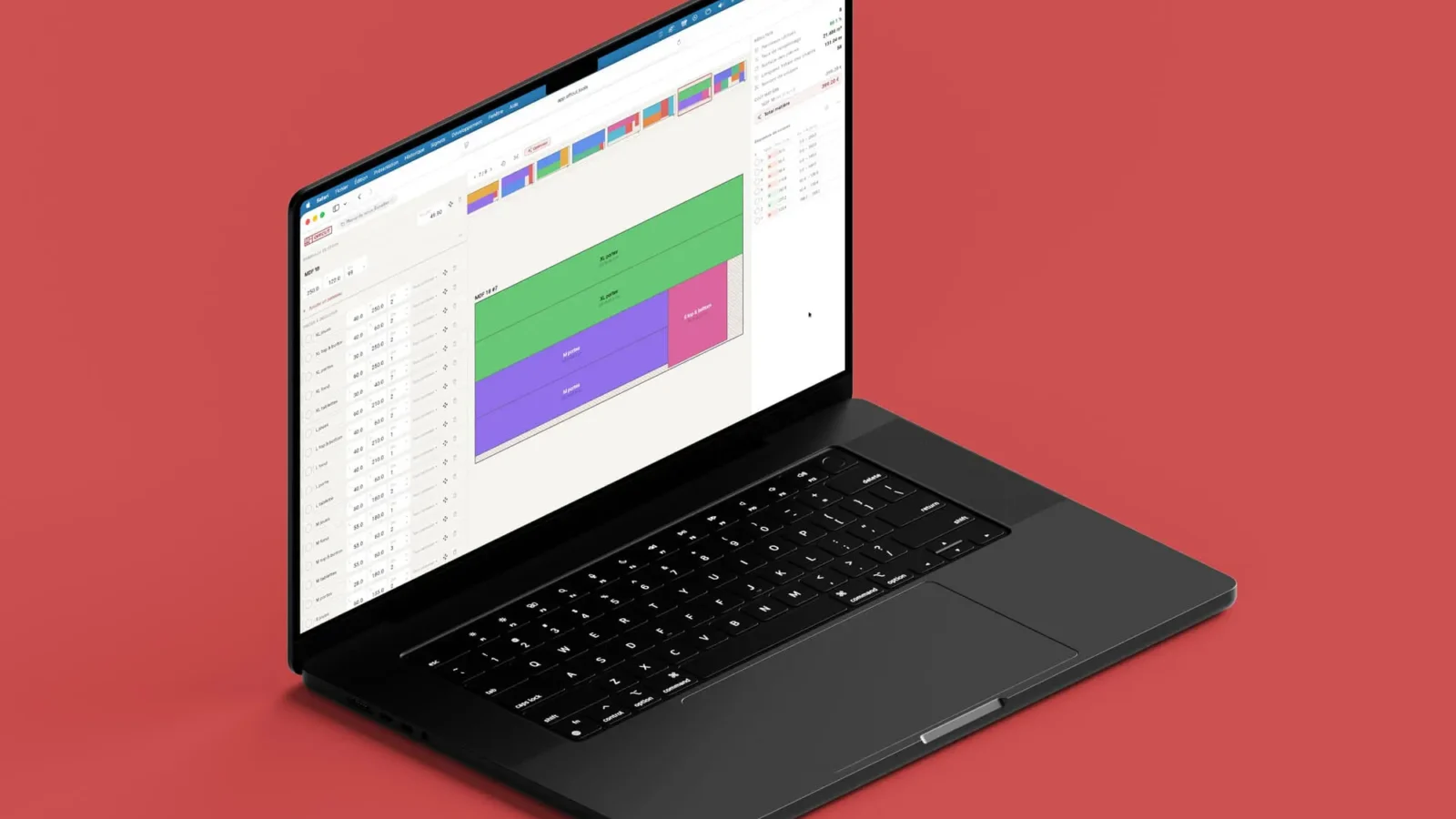
OffCut takes a more modern approach. The interface is clean and responsive, with a dark mode option for late-night workshop planning. It also supports grain direction and kerf settings, but adds a layer of waste statistics — you can see exactly what percentage of each panel is being used versus lost to offcuts. That kind of transparency is genuinely useful when quoting a job or justifying material costs to a client.
| Feature | OffCut | CutList Optimizer |
|---|---|---|
| Optimization algorithm | Advanced (multi-sheet) | Guillotine-based |
| Export formats | PDF, DXF, SVG, PNG | PDF, PNG |
| Import/Export data | JSON, CSV | CSV |
| Dark mode | ✅ | ❌ |
| Waste statistics | Detailed | Basic |
| Languages supported | 7 (FR, EN, ES, PT, PL, AR, NL) | Multiple |
| Free to use | ✅ (Freemium) | ✅ (Freemium) |
Where CutList Optimizer Has the Edge
Honesty is important here. CutList Optimizer has earned its place in many woodworkers’ toolkits for good reasons.
First, it has a large, established user base. That means more tutorials, more forum discussions, and more people you can ask for help if you get stuck. When you’re learning a new workflow, community resources matter.
Second, many users report that for simple, repetitive cabinet projects, CutList Optimizer’s output is fast and clean. If you’re cutting the same carcass design week after week, you don’t necessarily need a sophisticated interface — you need reliable output, and CLO delivers that.
Third, its CSV import workflow is familiar to people who already manage cut lists in spreadsheets. If your process starts in Excel and ends at the saw, CutList Optimizer fits naturally into that pipeline without friction.
Where OffCut Has the Edge
The case for OffCut as a genuine alternative to CutList Optimizer becomes clearer when you look at who it was designed for.
The DXF and SVG export formats are a significant differentiator. If you’re working with a CNC router, a laser cutter, or sending files to a panel processing center, those formats are not optional — they’re essential. CutList Optimizer doesn’t currently offer DXF export, which is a real limitation for professional workflows involving digital fabrication.
OffCut’s multilingual support across seven languages also makes it stand out for international teams or non-English speaking woodworkers. If you’re teaching an apprentice in Spanish, planning a job with a Portuguese-speaking supplier, or simply prefer working in your native language, that matters more than it might seem.
The JSON import and export adds a layer of flexibility for users who want to build automated workflows or integrate cut list generation into broader project management processes. That’s a feature aimed squarely at more advanced users and small workshop businesses.
Finally, the detailed waste statistics aren’t just a cosmetic feature. Knowing that Panel 1 is 87% utilized while Panel 2 is only 61% utilized lets you make real decisions — perhaps resizing a part slightly, or reordering the cut sequence to improve material efficiency. That’s the kind of insight that directly reduces your wood waste on every project.
Pricing and Accessibility
Both tools operate on a freemium model, meaning core functionality is free and accessible without account creation or software installation. This is the right model for this type of tool — you should be able to try it immediately, on any device, without commitment.
OffCut is accessible directly at app.offcut.tools, works in a browser, and is available as a mobile app on iOS and Android. That cross-device availability is a practical advantage for anyone who wants to sketch out a cutting plan at the lumber yard before buying, or review a plan on-site without lugging a laptop.
CutList Optimizer is also browser-based and free at its core, with premium tiers that unlock more sheets per project and additional features.
Neither tool requires installation or a paid subscription to get real, useful work done. That said, if you’re running a professional workshop and cutting dozens of sheet goods per week, investing time to learn your tool of choice — and potentially upgrading to a premium plan — will pay for itself quickly in material savings alone.
Which Tool Should You Choose?
The honest answer is: it depends on your workflow.
Choose CutList Optimizer if:
Choose OffCut if:
There’s also no reason you can’t use both. Some woodworkers use CutList Optimizer for quick estimates and switch to OffCut when they need richer exports or more detailed analysis.
Conclusion
Both OffCut and CutList Optimizer are legitimate, useful tools for anyone working with sheet materials. CutList Optimizer has years of trust behind it and a workflow that many professionals rely on daily. OffCut brings a more modern feature set — particularly around export formats, waste analytics, and multilingual accessibility — that makes it the stronger choice for users whose work goes beyond basic PDF layouts.
If you’ve never tried OffCut, the best move is simply to test it on your next project. It takes minutes to set up, costs nothing to start, and you’ll quickly see whether the additional features change how you plan your cuts. Try the free online cutting plan calculator now and see what a difference better optimization makes on your material costs.