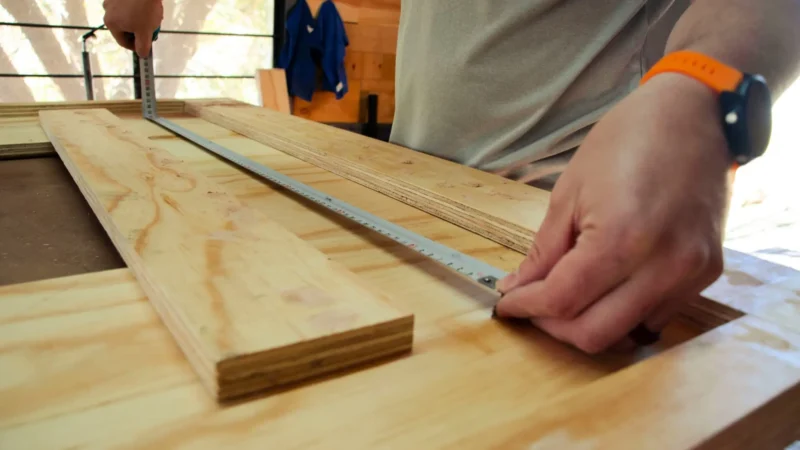
You’ve designed your furniture, you have your parts list. One question remains: how do you fit everything onto your panels without wasting half the wood? That’s exactly what a cutting layout solves. This guide explains everything, from scratch.
What is a cutting layout?
A cutting layout (or cut plan) is a diagram that shows how to arrange all the pieces of a project across one or more panels, minimising offcuts. Think of it as a puzzle: you have shapes to fit into a rectangle, and you’re looking for the most economical arrangement possible.
In woodworking and cabinetmaking, most materials — MDF, plywood, melamine, chipboard — are sold in standard panels of 2440 × 1220 mm (or 2500 × 1250 mm depending on the supplier). Your job, before pulling out the saw, is to determine how many panels to buy and where each piece will go.
Without a cutting layout, you’re improvising. And improvising with wood is expensive.
Why is it essential?
Let’s take a concrete example. You’re building a bookcase with these pieces:
- 2 side panels: 200 × 30 cm
- 5 shelves: 80 × 30 cm
- 1 back panel: 84 × 200 cm
- 1 top and 1 bottom: 84 × 32 cm
If you cut by feel, you risk using 3 panels when an optimised layout would get everything done in 2. The difference: around €40–50 saved on a single project — not counting the time spent dealing with unnecessary offcuts.
Another often-underestimated benefit: cut quality. Planning ahead lets you account for grain direction, machining direction, and prevents ending up with a piece that’s too short because you forgot to account for the saw kerf.
The saw kerf: the detail that changes everything
Every blade pass removes material. This is what’s called the saw kerf. On a standard circular saw, that’s 2 to 3 mm per cut. On a table saw, up to 3.5 mm.
It sounds small, but on a 2440 mm panel with 8 transverse cuts, you’re already losing 16 to 24 mm of material. If you don’t factor this into your layout, you risk ending up with a piece that’s 2 cm too short — with no way to fix it.
Golden rule: always include 3 mm of kerf between each piece in your cutting layout.
5 steps to create your cutting layout
Step 1 — List all your pieces
Before placing anything, list every piece in your project. For each piece, note:
- Exact dimensions (length × width, in mm)
- Required quantity
- Material (18 mm MDF, 12 mm plywood, etc.)
- Whether the piece has a grain direction (wood grain, melamine pattern)
This list is the foundation of everything. Miss one piece here, and you’re making another trip to the supplier.
Step 2 — Choose your panel format
The standard format is 2440 × 1220 mm. Some suppliers also offer 3050 × 1220, or even 3660 × 1830 for professionals. Check what your timber yard or DIY store stocks before planning — it can drastically change the number of panels you need.
If you already have offcuts in your workshop, factor those in too. An 80 × 60 cm offcut might be exactly what you need for a shelf.
Step 3 — Place the large pieces first
The basic placement rule: start with the largest pieces, then fill the gaps with smaller ones. Large pieces are the most constraining — they limit your options. Place them last and you risk running out of usable space.
Also respect grain direction if your material requires it (wood grain, melamine decor). Some pieces can’t simply be rotated 90°.
Step 4 — Calculate material yield
Material yield is the ratio of usable surface area (your pieces) to total panel surface purchased. A yield of 85% is good for a residential project. Below 70%, revisit your layout.
Simple formula:
Yield = (Σ piece surface area / total panel surface area) × 100If you use 1.8 m² of pieces across 2.2 m² of panel: yield = 82%. Not bad!
Step 5 — Review, then cut
Before picking up the saw, read through your layout twice. Check that all pieces are included, that dimensions account for the kerf, and that the cutting order is logical (you don’t want to cut a large panel in half before measuring a smaller piece from it).
Recommended cutting order: first crosscuts (across the grain), then rip cuts (along the length). Large panels are easier to handle at the saw when they still have their full length.
Manual vs. software: which to choose?
Paper and pencil
Simple and accessible, but tedious. You draw panels to scale, cut small rectangles representing your pieces, and move them around until you find the best arrangement. Works for 5–6 pieces, unmanageable beyond that.
Excel or a spreadsheet
Slightly better, but Excel wasn’t designed for this. You can create a grid and colour cells, but the optimisation remains manual. We go into more detail in our article Why your Excel cutting layout is costing you money.
An online optimisation tool
By far the most effective approach. Tools like app.offcut.tools automatically calculate the best placement for all your pieces across the fewest panels. You enter your list, and get an optimised layout in seconds — with material yield displayed and saw kerfs already included.
This type of tool accounts for constraints that manual methods often miss: piece rotation, fixed grain direction, recoverable offcuts, minimum panel count. For a project with 20 or more pieces, it’s a significant time saver — and often one fewer panel to buy.
Complete example: bookcase in 18 mm MDF
Back to our bookcase. Parts list:
| Piece | L × W (mm) | Qty |
|---|---|---|
| Side panels | 2000 × 300 | 2 |
| Shelves | 800 × 300 | 5 |
| Back panel | 840 × 2006 | 1 |
| Top / Bottom | 840 × 320 | 2 |
With a 2440 × 1220 panel and 3 mm kerfs, an optimisation tool places:
- Panel 1: both side panels (side by side, lengthwise) + 3 shelves
- Panel 2: back panel (fills almost half the panel) + 2 shelves + top + bottom
Result: 2 panels instead of 3, 84% yield. The manual method would likely have led to 3 panels — or a mistake on the back panel (840 × 2006 mm is longer than a panel’s width, so it must be cut lengthwise — a classic trap).
The most common mistakes
- Forgetting the saw kerf: the number one cause of pieces that come out too short.
- Ignoring grain direction: a wood-decor melamine has a grain. Rotate a piece 90° and the pattern runs perpendicular to the others — obvious and ugly.
- Not saving recoverable offcuts: a 40 × 80 cm offcut deserves a label and a proper spot. On your next project, it might be exactly what you need.
- Cutting in the wrong order: always start with cuts that free the largest pieces. You’ll avoid handling small, unstable scraps at the saw.
Conclusion
A cutting layout is ten minutes of preparation that saves you an hour of fixing mistakes — and often one or two panels. Whether you do it by hand or with an online tool, the key is never to cut without planning first.
If you don’t have a dedicated tool yet, try app.offcut.tools for free. Enter your pieces, choose your panel format, and get your optimised layout in seconds. It really does make a difference.